Art Process Research
I decided to look into how Riot artists design process works. I was lucky to find a lot of examples to go at.
I’ll be breaking down a process video for the Winterblessed Diana skin splash art by Bo Chen. It’s an incredibly useful thing to see the entire process of the thing I’m trying to make and break it down!
Winterblessed Diana Video Breakdown
I broke down this video with timestamps to the parts I’m referencing. I’m going to go over the stages then review at the end what I can take from it into my project.
The artist starts out with very simple sketches based on a 3D character concept reference, along with some other clothing references. https://youtu.be/SLNuduZk3PA?t=21
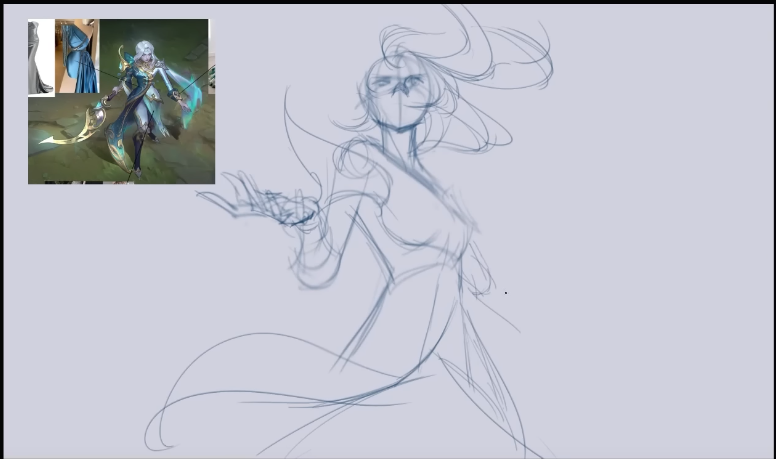
The artist adds some basic colours to the sketch and simple lighting and shading, adding a very rough background to test out depth. https://youtu.be/SLNuduZk3PA?t=196
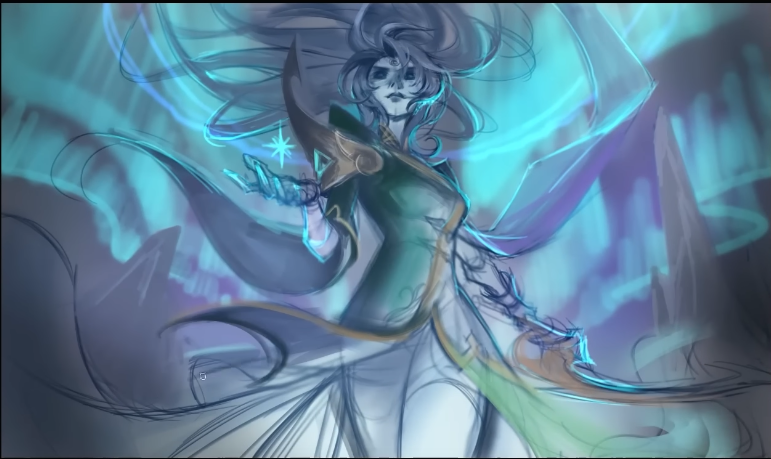
After adding smooth colours and shading to the image and getting a feel for it, they then start to add in the facial features, as this creates the illusion of a more put together piece, since people focus on the face more. This is something I can use in progress posts for my development log, to create a clearer picture of how my progress is going. https://youtu.be/SLNuduZk3PA?t=341
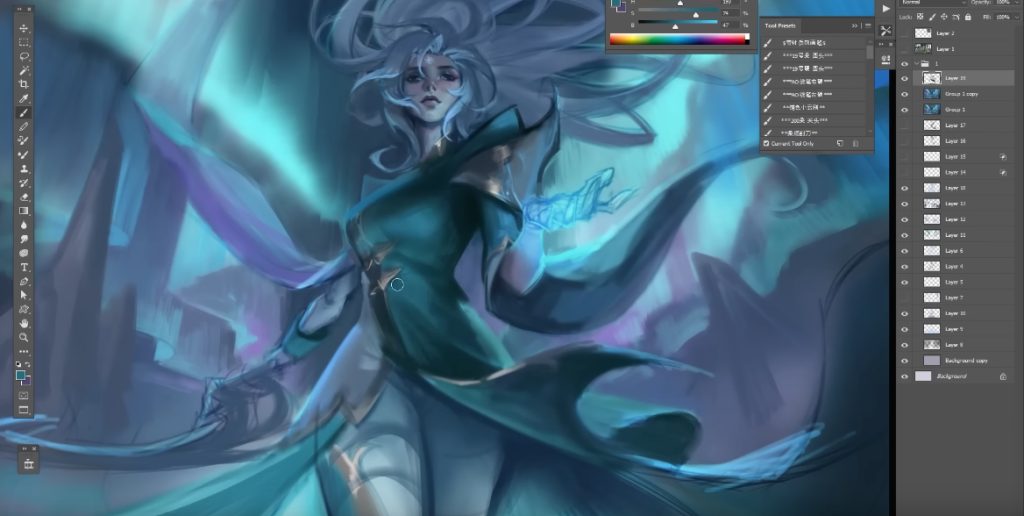
They then test out another sketch, I think this is the progress of the thumbnails, posted below. It’s interesting they put so much detail into the face and clothes before moving on to another. If I want my thumbnails to seem put together, this could really help. https://youtu.be/SLNuduZk3PA?t=439
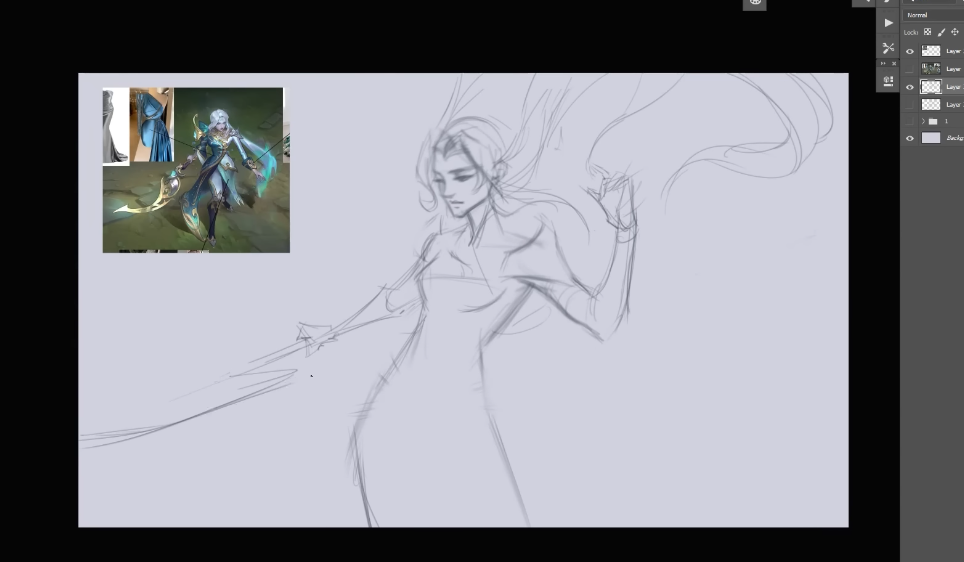
After adding colour to this one in the same way as the first, they move onto a third https://youtu.be/SLNuduZk3PA?t=729 and a forth https://youtu.be/SLNuduZk3PA?t=892 adding colour and blocking out in the same way, to create an idea of what the image will look like finished. They put equal amount of time into all of these, which is something I should also do. Remembering not to favour one until I’m absolutely sure which I will be using.
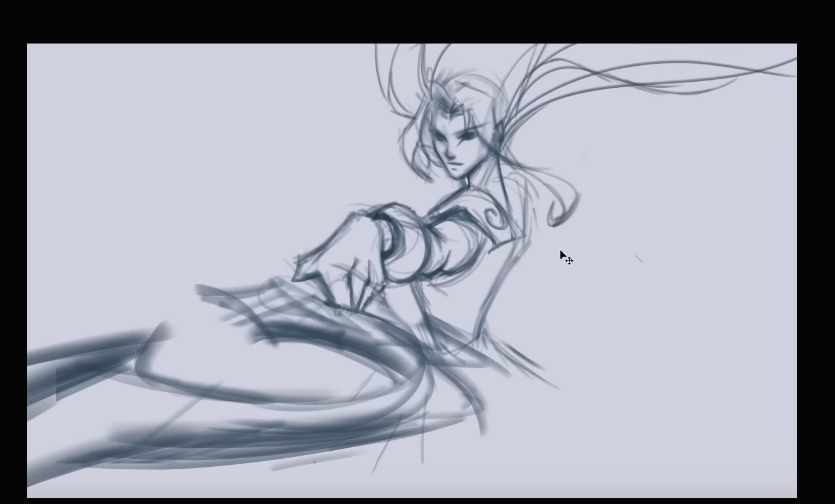
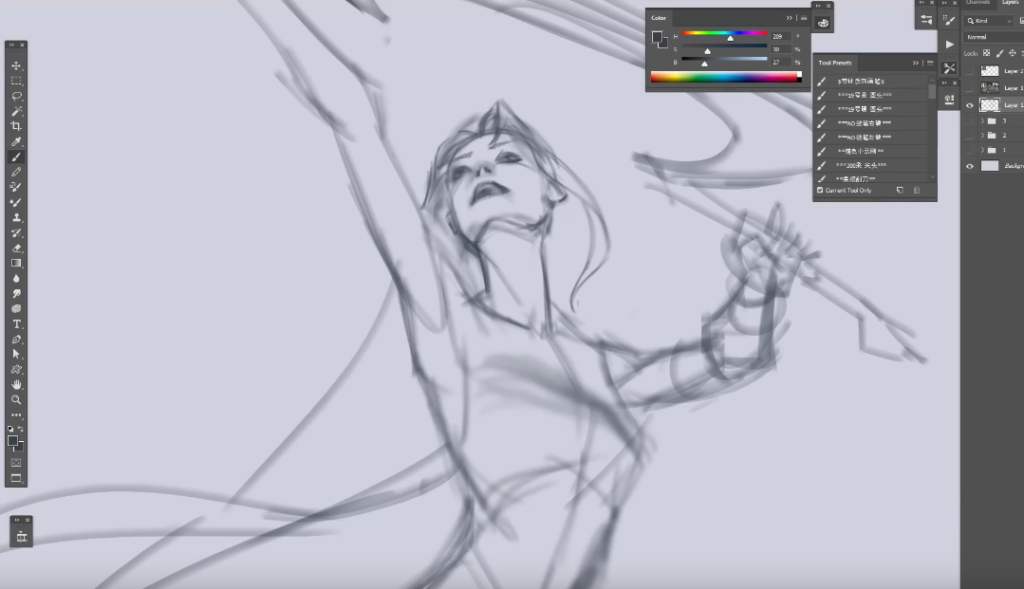
When the final pose has been chosen, they start to polish and add lighting and details. Reshaping things that were already there to make more sense, and adding harder edges to things, thick lines to be built on.
They also occsionally colour balance, changing saturation and editing colours to make sure everything matches and looks good together. I need to remember I am also working with digital software and the ability to change colour balance whenever I need to is right there. This is really useful to remember. https://youtu.be/SLNuduZk3PA?t=1068
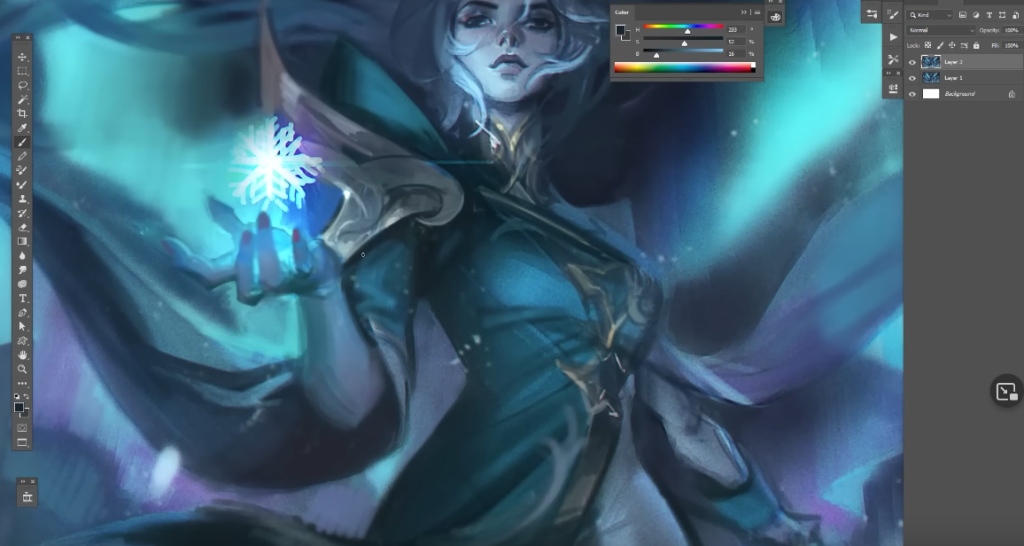
They zoom into the background to add details there only when the character herself has pretty much taken shape. I need to remember to focus character first then background, working backward instead of forward to fit the world around the character, instead of the character around the world, to make sure they fit as they’re the focus. https://youtu.be/SLNuduZk3PA?t=1115
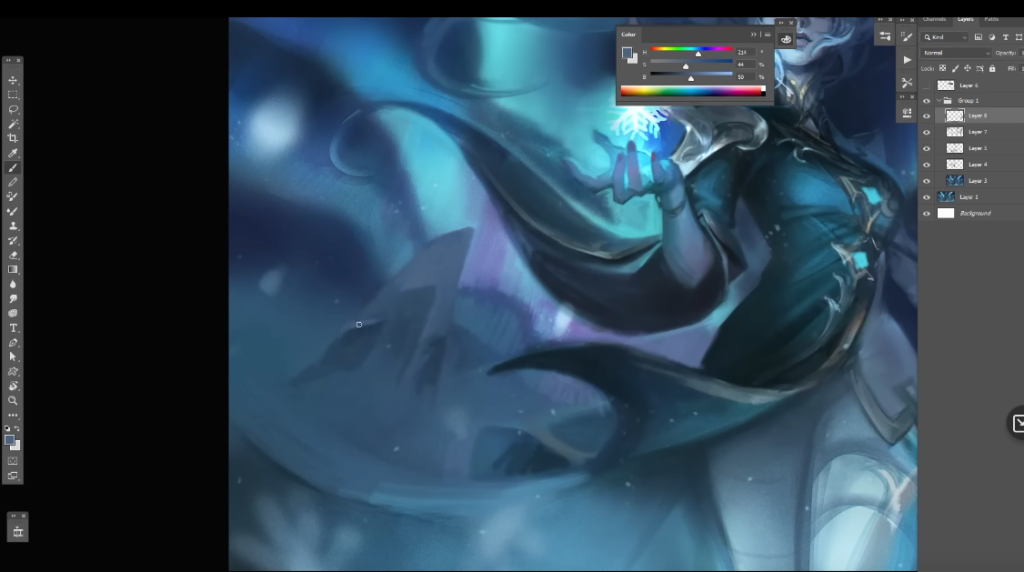
Here they use a reference for the shape of her weapon https://youtu.be/SLNuduZk3PA?t=1153 I need to remember references are my friend in my piece too!
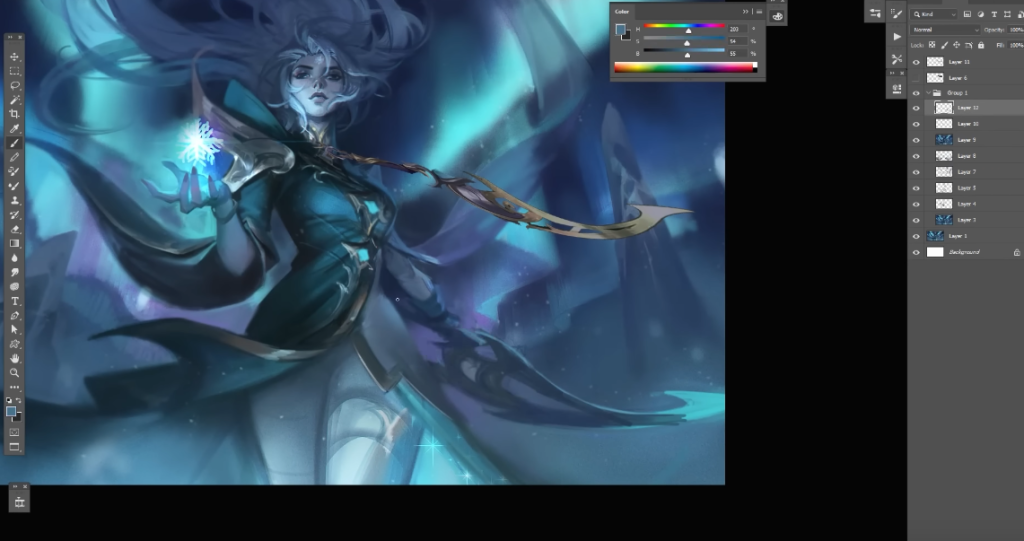
Again the first part of the image to get extra details is the face, this is really interesting. The face is the focus of most characters, but also it’s the most complicated part to get right. By doing it first the hard part is out of the way. I’ll try and do this in my piece too. https://youtu.be/SLNuduZk3PA?t=1199
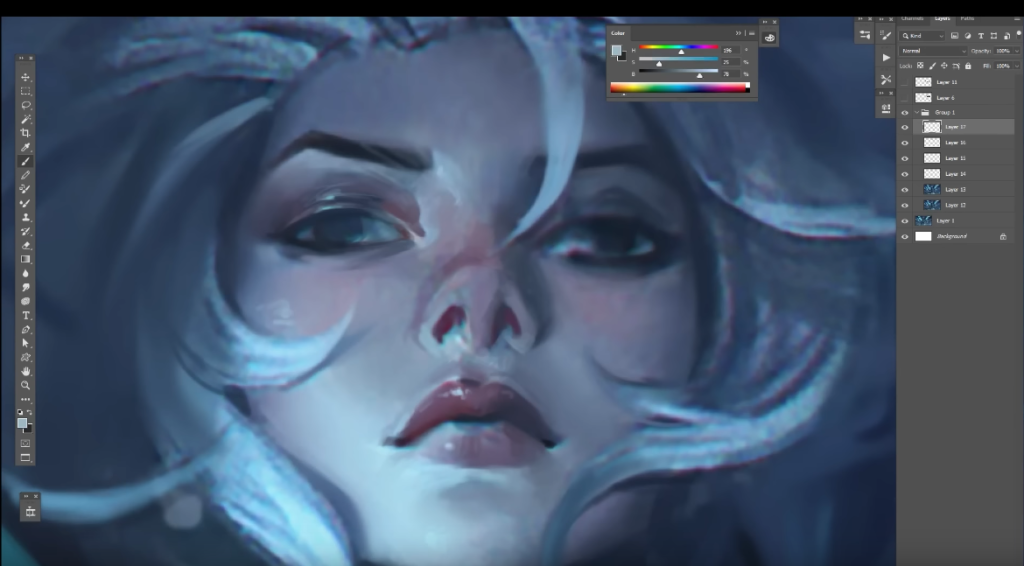
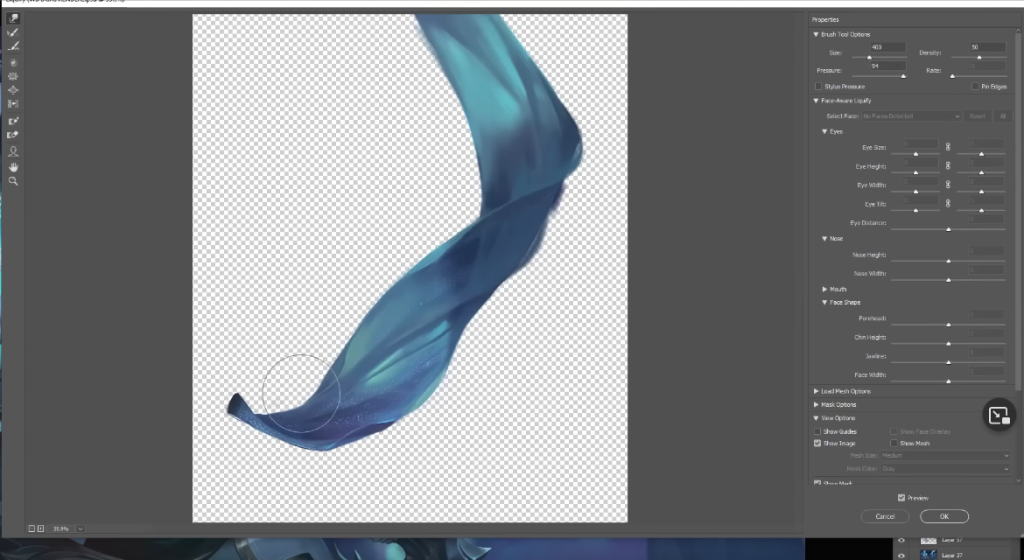
They flip the canvas a lot to make sure that proportions make sense even when flipped, they then liquify to fix the issues. I find that when I’m creating art a lot of the time I flip the canvas and they look completely different, and I notice things wrong where I didn’t before. I need to use this technique a lot for my final piece as it really helps make sure everything is in the right place. https://youtu.be/SLNuduZk3PA?t=1241
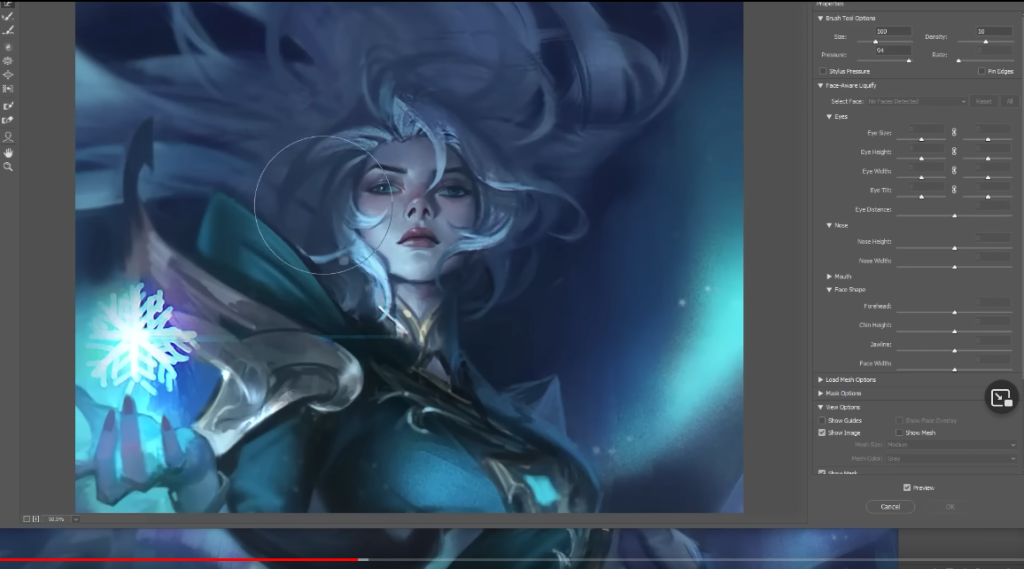
For a lot of this video now the base is down, it’s adding lighting, shadows and other details that bring the image to life. The artist dedicates an incredible amount of time to each part of the image to make sure they’re all perfect. I need to remember when I’m creating mine the time dedication of it. I need to make sure I have enough time to finish. https://youtu.be/SLNuduZk3PA?t=1767
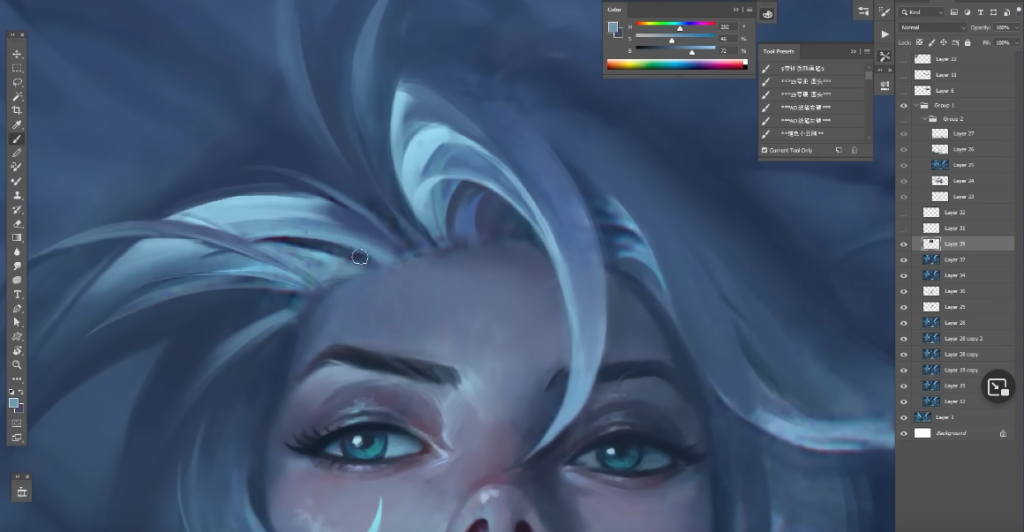
The artist uses a balance of hard and soft brushes, though it seems to just be one brush with different settings. Sometimes brushes can be overwhelming in Photoshop, it would be good for me to choose a limited amount and stick with them, learning how they work just like I would with physical paintbrushes.
They focus on each area individually, zooming in and isolating them. This tactic will really help me from getting overwhelmed with a giant image, and just focusing on one thing!
When most of the image has taken shape and been polished, they start to add on additional things, objects that add lighting and small detailed items that overlay the top of the image. https://youtu.be/SLNuduZk3PA?t=2312 for mine I need to think what these could be, and how I would add them and at what point. I need to remember not to rush it!
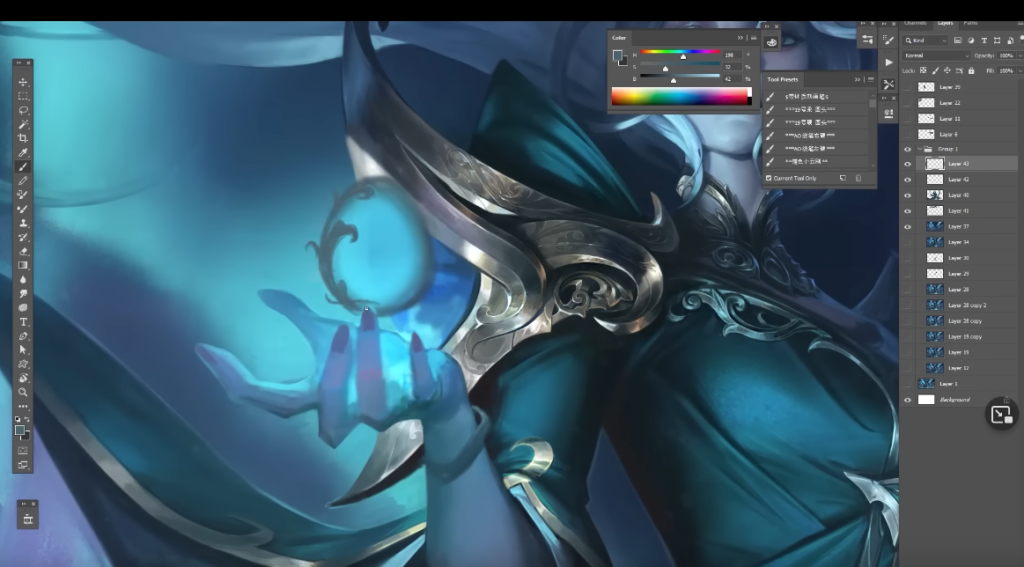
When the character has fully taken form, the artist focuses on adding full detail to the background, fitting the colours in around the character. There seems to be a lot of experimentation in painting the aurora here, I need to make sure I’m experimenting too, and not just playing it safe with what I already know! https://youtu.be/SLNuduZk3PA?t=2711
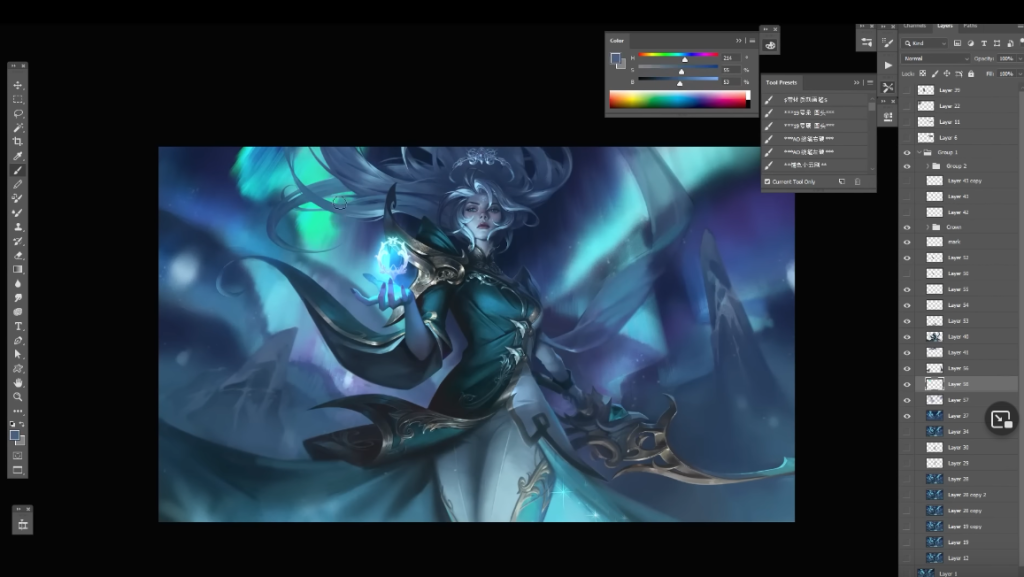
They seem to be using the blur too to move things instead of liquify, which is a great way of moving things without editing too much, and blurs the image slightly to be built on creating a nice smooth base. This is something I can really use.
Even when you think they’re almost done, they replace part and try and improve it. They even bring in some parts of a previous art work into it. I need to remember to use what I already have avaliable too. Referencing things I already made will be useful, as I already know how to make it! https://youtu.be/SLNuduZk3PA?t=3217
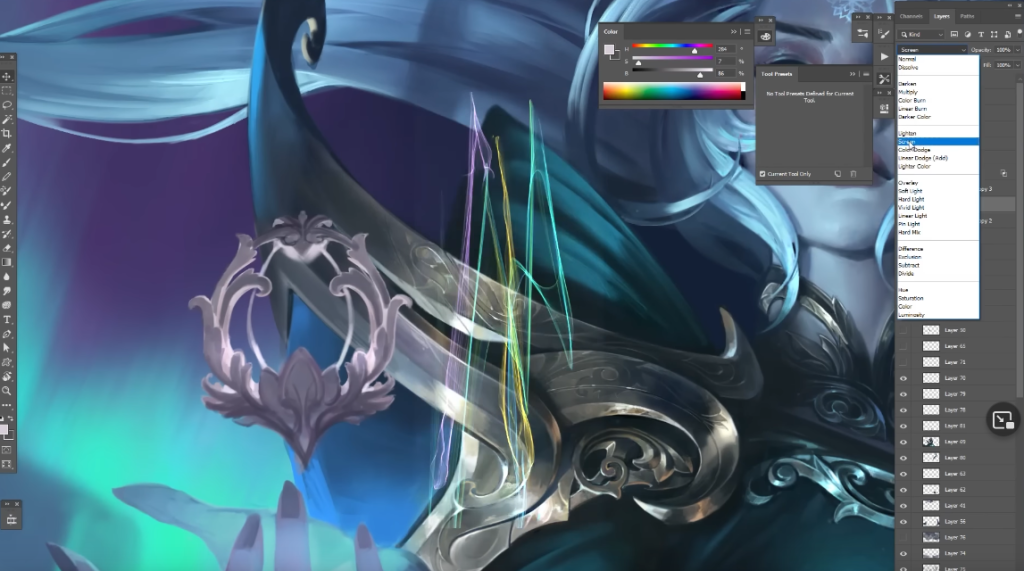
Extra effects details and blurring to reshape them! I need to think what kind of effects I can add to my final piece! The effects are quintessentially League of Legends, I should definitely try and include some. https://youtu.be/SLNuduZk3PA?t=3307
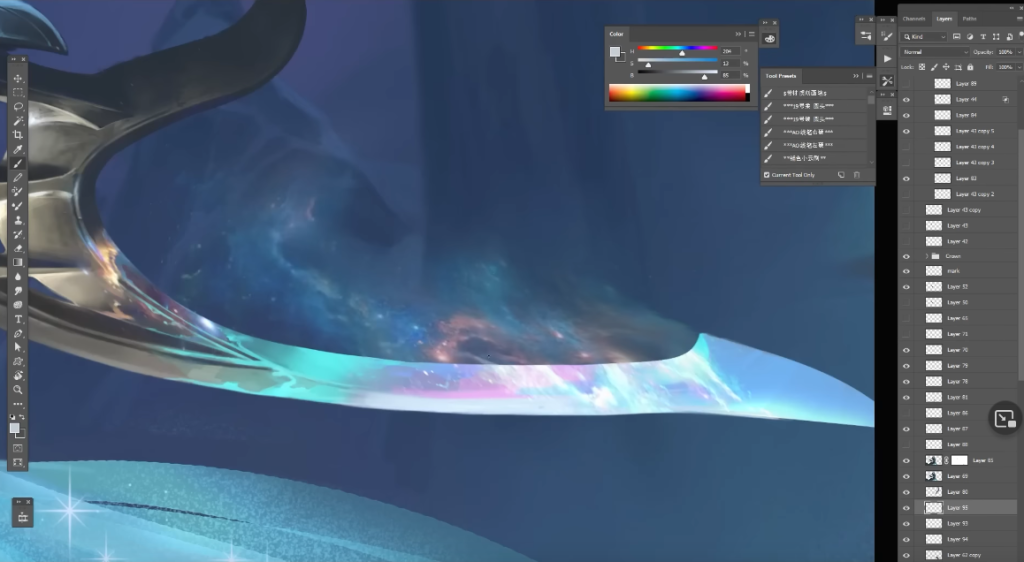
Here you can see they actually made a piece of the fabric in a different layer, then brought it into the project. This is a great tactic I can use to isolate items that I find difficult to draw as the picture gets busier, it made the liquify process a lot easier. https://youtu.be/SLNuduZk3PA?t=3402
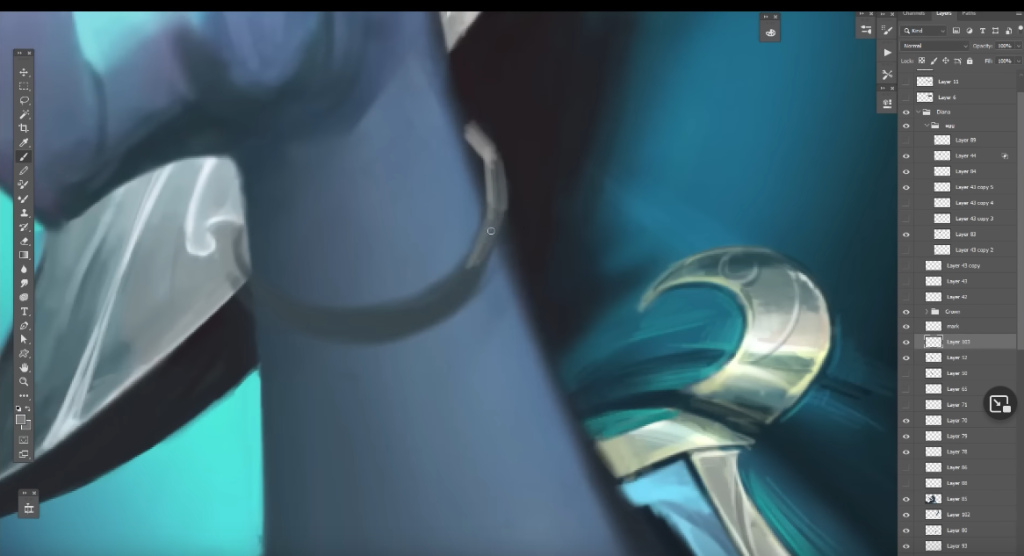
Adding one more piece of jewlery, art is never finished until you decide it is. https://youtu.be/SLNuduZk3PA?t=3420
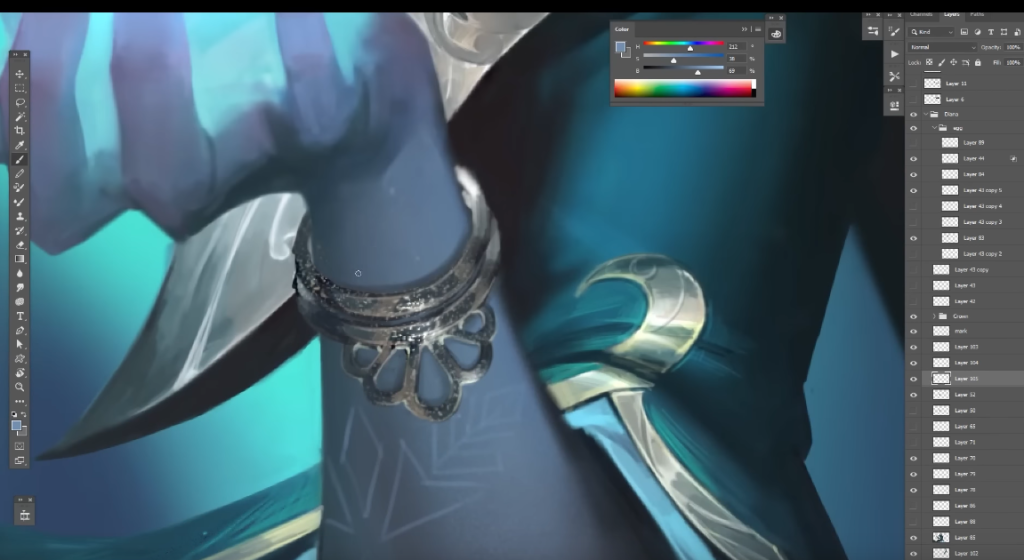
Skin layer effects are added, some snowflakes on the arm. This is a prety detail to add. When I think I am finished with my art piece, I should leave enough time to think about what else I could add. https://youtu.be/SLNuduZk3PA?t=3447
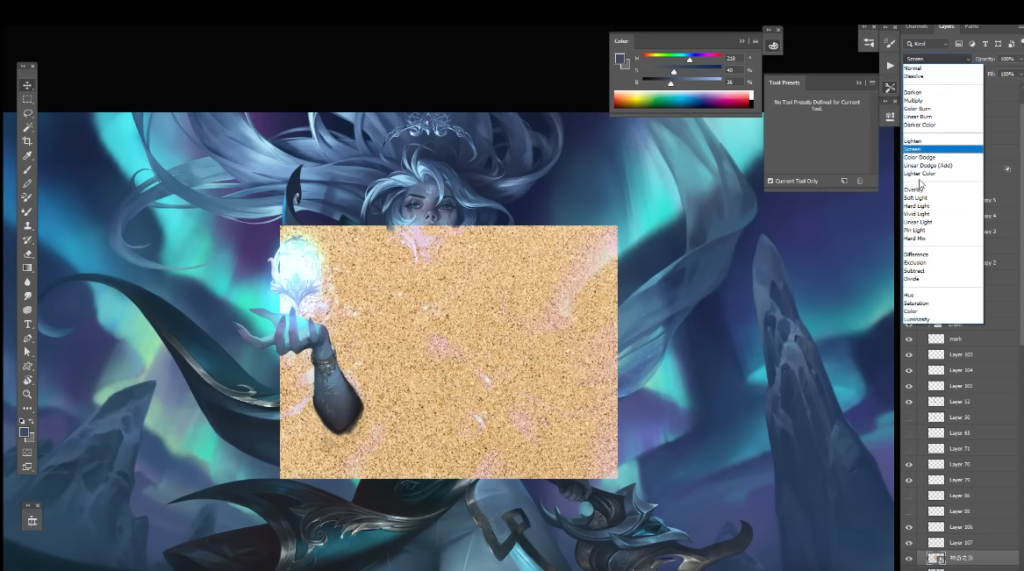
They bring in a texture, to add to the skin to make it seem less smooth and fit in more with the icy setting. Texture also adds realism to skin. This is something I’ve never seen before and would like to try in my own artwork. https://youtu.be/SLNuduZk3PA?t=3478
After a bit of glow addition to create the illusion of light, and a few more overlay edits the piece is finished. I need to remember to add overlays, glow for lighting, and to adjust colours for the finished piece to perfect it! It’s the extra polish that make League of Legends splash arts great. https://youtu.be/SLNuduZk3PA?t=3547
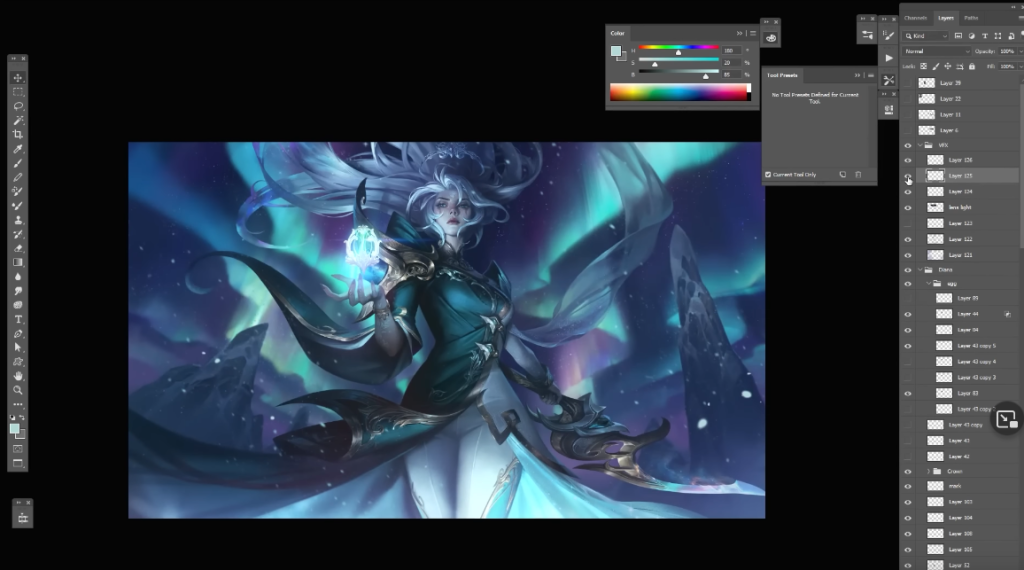
I learned an incredible amount from watching this. Some bonus things to mention, this was an hour long video sped up, which gives me a good idea of just how much time must have gone into this, I’m looking at around 200 hours of amazing work. I saw the care and commitment put into this piece, and I endeavor to include the same in my art piece.
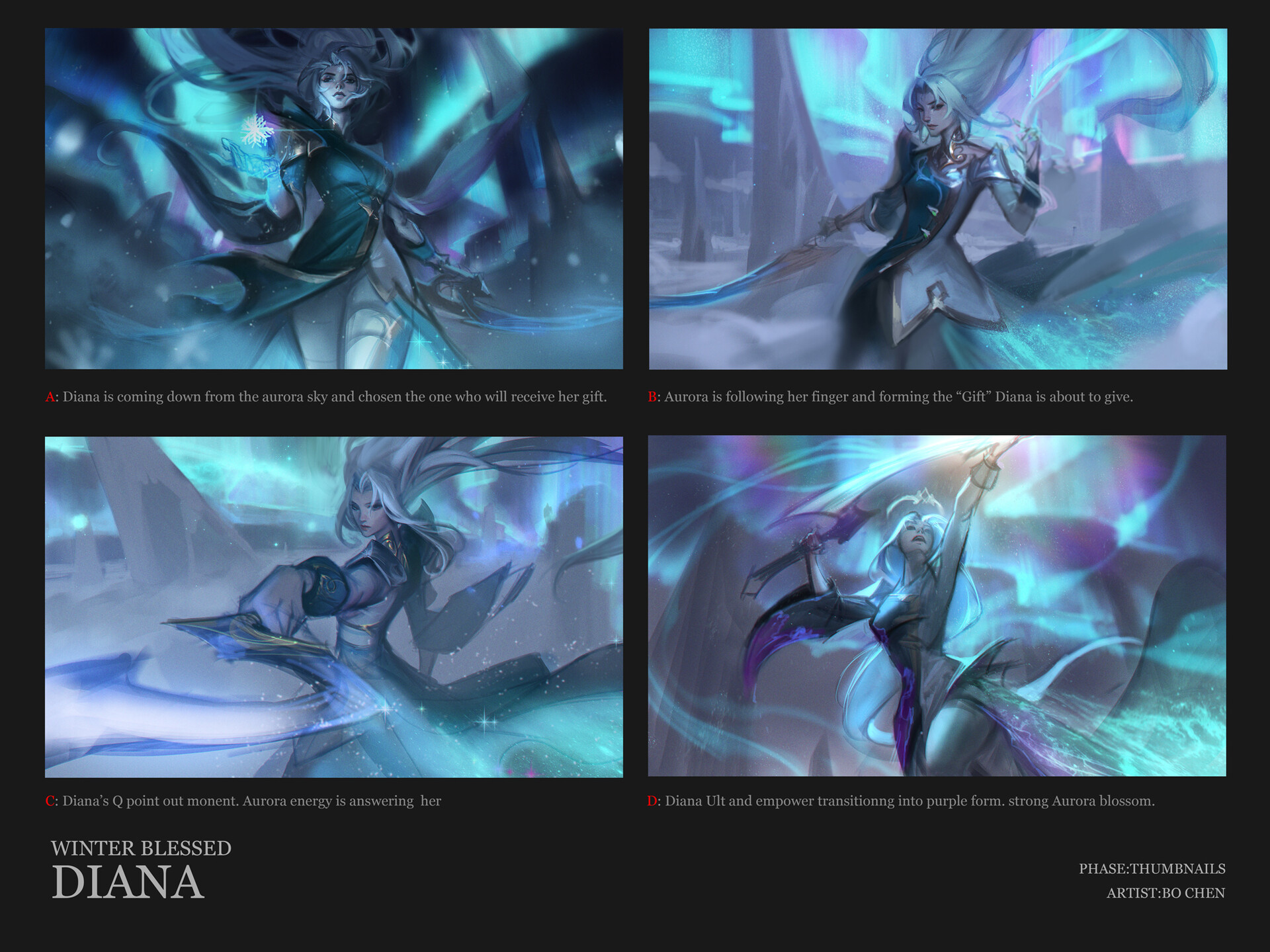
Thumbnails for Winterblessed Diana
Breaking down the thumbnails themselves, I can clearly see which was the favoured image and why. The chosen one has Diana centered but looking slightly down in a position of power. Though the others are still good, there is too much empty space behind them due to the background being an expanse of snow and ice. I need to remember in my piece to also make sure the balance between character and background is solid.
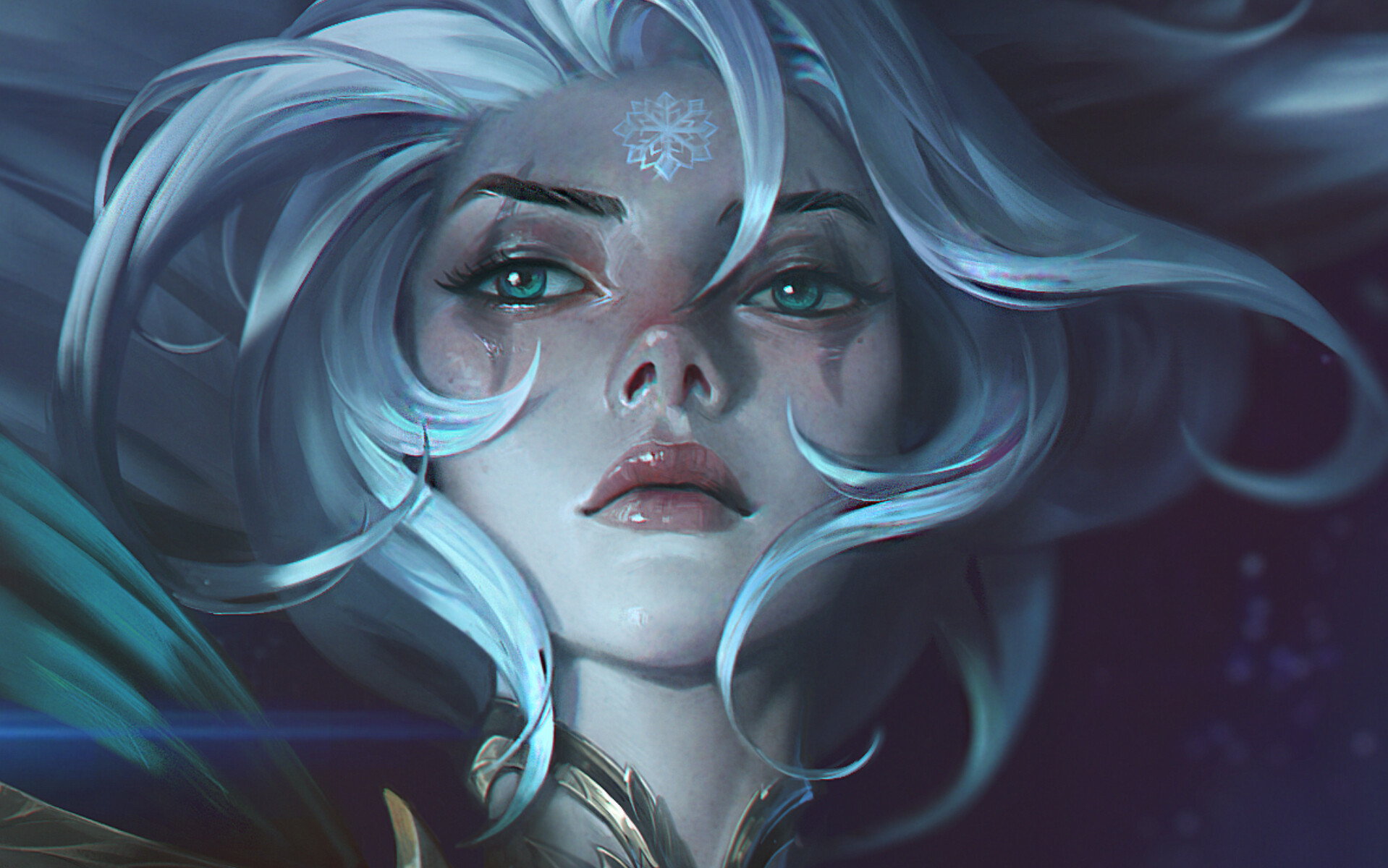
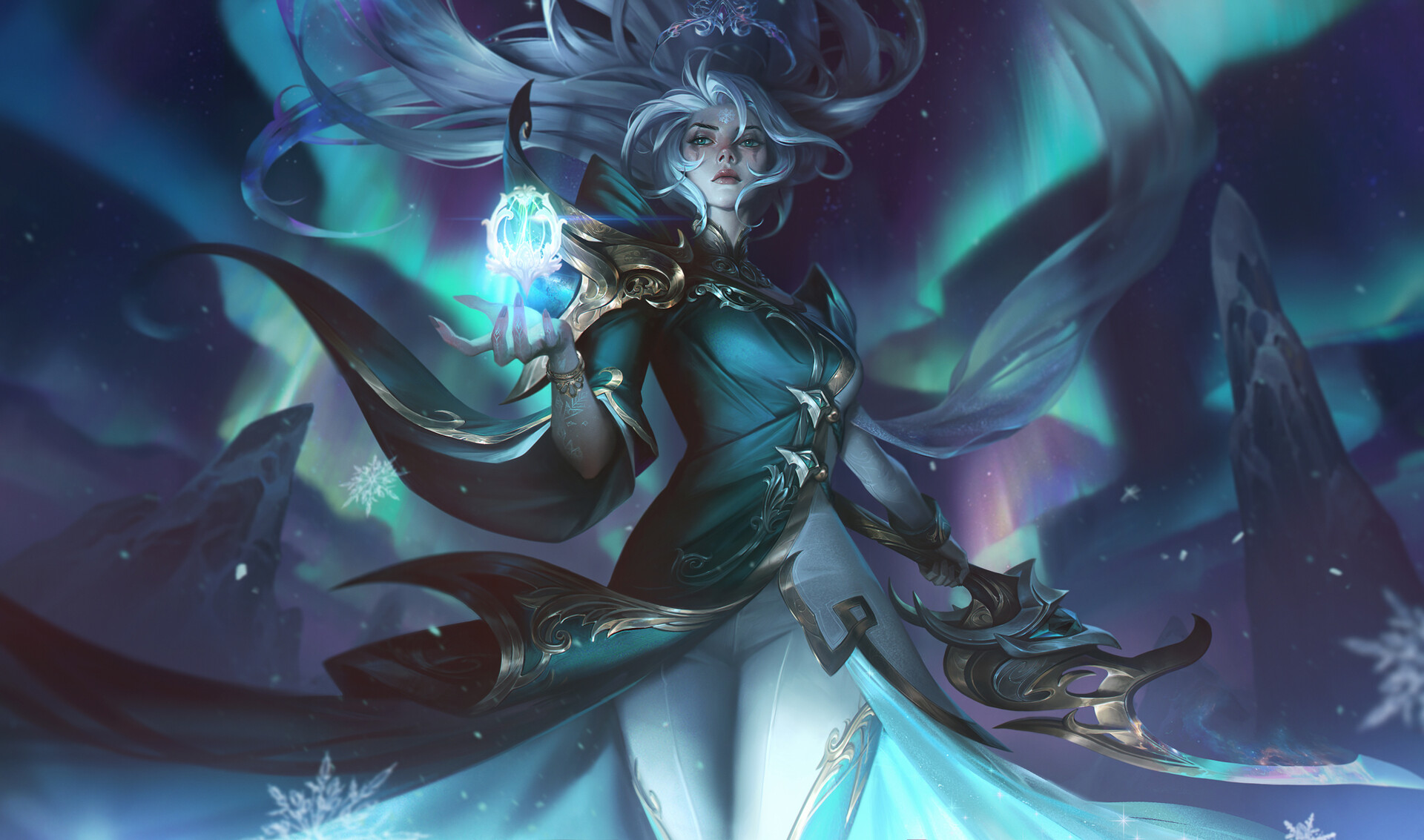

I honestly just wanted to share the incredible detail of the final image created by Bo Chen. They’re an amazing artist and I admire them very much.
Bonus – Thumbnails For Spirit Blossom Syndra
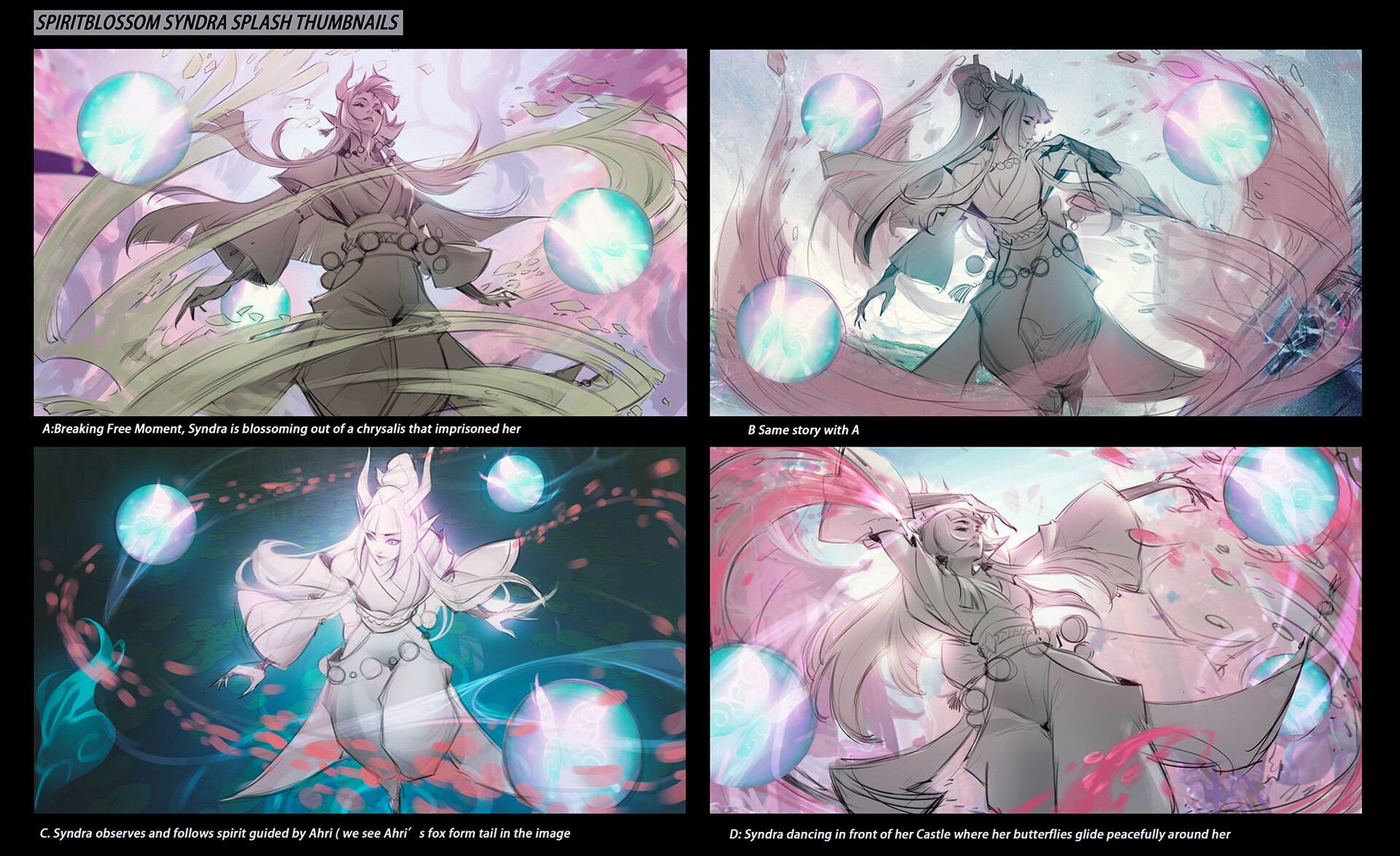
As you can see in the thumbnails above the artist went through 4 different thumbnails before deciding the best one to focus one. Interestingly the one chosen has even been flipped, and it improved the pose, maybe because western viewing would go from left to right with eyes travelling up her body. (The chosen one is bottom right)
All of the thumbnails are on the same theme, breaking free from something, and you can see it in the feeling of release in 3 of the images. The bottom left corner one is interesting though as it breaks from this theme slightly, and makes her look a little more lost than free. I think this is why it wasn’t chosen.
Thumbnails like this are invaluable to me because I can see where the ideas were built from and how they developed. First idea isn’t best idea, and I need to keep this very closely in mind when I’m creating my own thumbnails. They’re also very rough but still have a colour palette and lighting suggested. I’m not sure if my thumbnails will have the same sort of detail, but it’s good to keep in mind.
References
Chengwei Pan (2022) Spirit Blossom Syndra [Digital Art]. Available Online: https://www.artstation.com/artwork/AreDA5
Bo Chen (2022) Winter blessed Diana [Digital Art] https://www.artstation.com/artwork/Ar8KLy
Bo Chen (2022) Winterblessed Diana Splash painting progress [Video] Available Online: https://youtu.be/SLNuduZk3PA
Riot Games (2009) League of Legends [Video Game] Available Online: https://www.leagueoflegends.com/en-gb/